
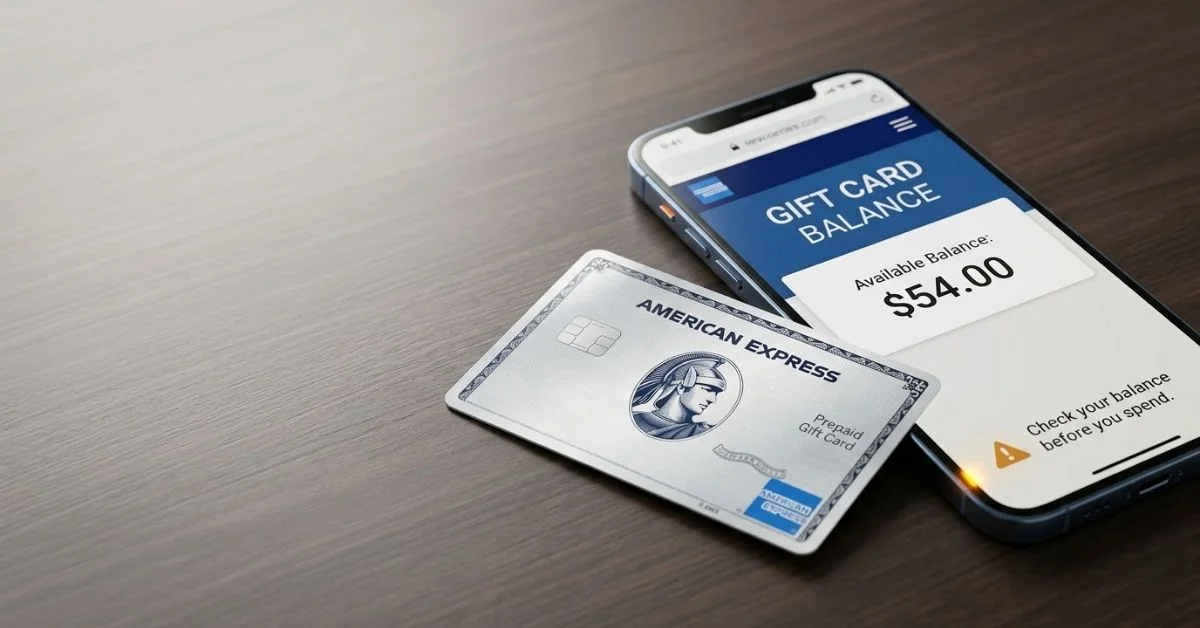
Checking how much money is left on your American Express Gift Card takes less than a minute when you use the right website. Whether you got the card as a gift or bought it yourself, knowing your exact card amount helps you avoid declined payments when buying things.
Amexgiftcard com Balance: Quick Answer
To check your card balance right now, go to the official American Express Gift Card website at balance.amexgiftcard com.
Never type your card details on unknown search result pages or fake websites. If you do not have internet access, call the customer service phone number printed on the back of your card.
30-Second Balance Check Checklist
- Check activation: Make sure your card is ready to use (most store cards are activated at the register when bought).
- Get card details: Have your 15-digit card number, expiration date, and 4-digit security code ready.
- Open official site: Go to
balance.amexgiftcard.comin your web browser. - Type details: Carefully type your card information into the form.
- Check money: See your remaining money and recent buying history.
How to Check Your Amex Gift Card Balance Online
Checking your balance online is the fastest way to see your available money and recent card activity. Follow these easy steps to keep your check safe and correct.
Open the Official Amex Gift Card Balance Page
Always check the web address at the top of your screen before typing your card numbers. The correct page for regular Amex gift cards is balance.amexgiftcard.com.
Scammers often make fake websites that look like real bank pages. Do not log into regular American Express credit card account pages (like americanexpress.com), because standard account logins will not recognize gift card numbers.
Enter Your Card Details
The online form asks for three specific pieces of information from your card:
- Card Number: The 15-digit number on the front of the card.
- Expiration Date: The date printed as month and year (MM/YY).
- Card Identification Code (CID): The 4-digit security code printed on the front.
Submit the Form and Review Your Balance
Click the check button after typing your information. The screen will show how much money you have left to spend.
When available, the page also shows your recent purchases. Keep in mind that temporary holds from recent store visits can lower your shown balance before final charges go through.
Where Is the Security Code on an Amex Gift Card?
Finding the security code on an American Express card can confuse people who usually use Visa or Mastercard.
American Express uses a 4-digit Card Identification Code (CID). Unlike Visa or Mastercard codes that sit on the back of the card, the Amex CID is printed on the front of the card. Look right above or to the right of your main 15-digit card number.
- Amex CID: 4 digits, located on the front of the card.
- Standard CVV: 3 digits, usually located on the back signature strip of non-Amex cards.
Always type the 4-digit code from the front of your card when the website asks for a CID, CVV, or security code.
Do You Need to Activate an Amex Gift Card Before Checking the Balance?
Most American Express Gift Cards bought in store checkouts are turned on by the cashier. If you got a card in the mail, you may need to activate it before you can check the balance or spend money.
If your card needs manual activation, look for a sticker on the front of the card with instructions. You can activate the card by going to amexgiftcard.com/activate or by calling the free phone number listed on the card package.
If online activation does not work, call the support team using the phone number on the back of the card to check your card status.

What If Your Amex Gift Card Balance Is Not Showing?
If you have trouble trying to view your card money, use these quick fixing steps to solve the problem.
The Website Shows a “Bot” or Verification Page
Heavy website traffic or strict computer security can sometimes block access to the balance page.
- Refresh your web browser page and try again.
- Make sure JavaScript and cookies are turned on in your browser settings.
- Open a private browsing window to clear stored browser errors.
- Try a different web browser or switch from your phone to a computer.
- Never use unofficial third-party websites that claim to check balances for you.
The Card Number, Expiration Date, or CID Is Rejected
An error message usually means one piece of card info was typed wrong.
- Double-check every single digit of your 15-digit card number.
- Check the expiration date format to make sure the month and year are right.
- Make sure you are using the 4-digit code from the front of the card, not numbers from the back.
- Make sure the card was turned on when it was bought.
The Balance Says $0 or Looks Lower Than Expected
A balance that looks smaller than expected usually relates to recent shopping trips.
- Temporary Holds: Gas stations, hotels, and restaurants often place temporary holds on funds. A gas pump might place a $75 or $100 hold that lowers your available money for a few days.
- Recent Purchases: Review your recent buying history to confirm past charges.
- Inactivity Fees: Check your card rules to see if old cards have monthly service fees.
If your balance still looks wrong after checking your buying history, call the free customer service number printed on the back of your card for help.
How to Check an Amex Gift Card Balance by Phone
If the website is down or you prefer calling, you can check your balance over the phone. Look at the back of your card to find the official customer service number.
Always use the exact phone number printed on your card package or plastic card. Different card types use different customer support lines. Avoid calling numbers found on random websites or message boards, because scammers set up fake support lines to steal card details.
When you call, an automated voice system will ask for your card details. Have these ready to type on your phone keypad:
- Your 15-digit card number
- The 4-digit CID from the front of the card
- The expiration date (MM/YY)
Amex Gift Card vs. Reward Card vs. Prepaid Card
American Express makes several types of payment cards. Because these cards work differently, they do not all use the same balance website or support process.
| Card / Product Type | Correct Official Website | Balance-Check Method | Activation Requirements | Customer Service Contact |
| Amex Gift Card | balance.amexgiftcard.com | Online website or automated phone call | Usually activated at store register; check package for sticker | Free number printed on the back of the card |
| Amex Reward Card | Website listed on card back (e.g., amexrewardcard.com) | Special reward website or phone line | Requires sign-up or online activation before first use | Specific phone line printed on the back of the reward card |
| Amex Prepaid Card | Official site (e.g., [americanexpress.com/prepaid](https://americanexpress.com/prepaid)) | Account login on website or phone app | Requires ID check and full account sign-up | Main American Express customer support number |
How Amex Gift Card Balance and Transactions Work
Your available balance shows the money remaining on the card that you can spend right away. When you buy something, the store sends a check request to see if your card has enough money.
This check request places a temporary hold on your money. While the hold is on the card, your shown balance goes down right away. Once the store finishes the final charge, the temporary hold turns into a completed purchase.
Example Buying Scenario
Imagine you have a $100.00 Amex Gift Card and use it at a restaurant:
- Starting Balance: $100.00 available.
- Meal Cost: $40.00. The restaurant checks your card and adds a temporary 20% tip hold ($8.00).
- Temporary Hold: Total hold becomes $48.00. Your available balance drops to $52.00 for now.
- Final Payment: The meal charge clears at $40.00 plus your real tip of $6.00 ($46.00 total).
- Final Balance Left: $100.00 minus $46.00 leaves $54.00 remaining.
When your balance reaches $0.00, the card is empty. Keep the card for a few weeks after spending all the money in case you need to return an item to the store.
Common Amex Gift Card Balance-Check Mistakes
Avoid these common mistakes to keep your balance checks quick and safe.
| Mistake | Why It Causes a Problem | How to Fix It |
| Using main Amex banking login | Normal credit card logins do not recognize gift card numbers | Go straight to balance.amexgiftcard.com |
| Entering a 3-digit code | Amex uses a 4-digit CID, which causes system errors | Use the 4-digit code printed on the front of the card |
| Mistyping the expiration date | Wrong date formats cause error messages | Enter month and year exactly as shown on the card (MM/YY) |
| Checking an inactive card | Cards that are not turned on show errors or $0 balance | Follow store receipt or card sticker rules to activate first |
| Using random search tools | Unofficial sites can steal your full card information | Always type the official web address directly into your browser |
| Mistaking temporary holds for final charges | Pending holds cause lower balance readings | Wait 3 to 5 business days for temporary holds to clear |

What to Do If You Still Cannot Check Your Balance
Follow this simple decision path if you still face errors:
[Is the website loading properly?]
   ├── YES: Type card details carefully on the balance page.
   └── NO:  Clear browser cache, enable cookies, or try a different browser.

[Are your card details rejected?]
   ├── YES: Check your 15-digit number, front 4-digit CID, and expiration date.
   └── NO:  Proceed to view balance.

[Is the balance lower than expected?]
   ├── YES: Review recent store holds or pending restaurant charges.
   └── NO:  Use remaining money for purchases.

[Still stuck?]
   └── Call the free customer service number printed on the back of your card.
Security Warning: Never share your card number, expiration date, or security code on social media, web forums, or message boards. Official support workers will never ask for your card details in public comments.
Frequently Asked Questions About Amexgiftcard com Balance
Where do I check my Amex gift card balance online?
Check your balance online at balance.amexgiftcard.com. Type this web address directly into your browser so you do not land on fake sites.
What information do I need to check my Amex gift card balance?
You need the 15-digit card number, the expiration date (MM/YY), and the 4-digit security code (CID) located on the front of the card.
How do I activate my Amex gift card?
Most store-bought cards turn on at the register. If your card came in the mail, follow the steps on the front sticker or go to [amexgiftcard.com/activate](https://amexgiftcard.com/activate).
Where is the 4-digit CID on an Amex gift card?
The 4-digit CID is printed on the front of the card, right above or to the right of the main 15-digit card number.
Can I check my Amex gift card balance by phone?
Yes. Call the customer service number printed on the back of your card and follow the automated system prompts.
Why is my Amex gift card balance showing $0?
Your card may not be activated yet, or past purchases used up all the money. Check your recent buying history to confirm.
Why is my Amex gift card balance lower after a purchase?
Places like gas stations and restaurants place temporary holds on cards. These holds temporarily lower your available money until the final charge clears.
Why is amexgiftcard com balance not working?
Ad blockers, turned-off browser cookies, or mistyped card numbers often cause website errors. Try using a private browsing window or switch devices.
Can I check my Amex gift card transaction history?
Yes. The official balance check website shows recent purchases alongside your available money when available.
Are Amex Gift Cards and Amex Reward Cards checked on the same website?
Not always. Standard gift cards use balance.amexgiftcard.com, but special reward cards use the website printed on the back of the card.
You Could Also Like:
Revealspro com: Review, Guest Posts, Pricing & Publishing Guide (2026)
Sutterhealthpremiumlawsuit com: Official Site, Eligibility, Settlement & Status
Disclaimer:
This article is for informational and educational purposes only and is not financial, legal, or professional advice. Information may change, so verify details with American Express. Some images may be AI-generated for illustration. All copyrights and trademarks belong to their respective owners.

Victor Rennard is a multi-niche writer for BaddieHubMagazine.com, creating clear and engaging articles across lifestyle, trends, tech, entertainment, and general guides. With a simple, helpful writing style, Victor aims to give readers quick insights and reliable information on topics that matter.


