
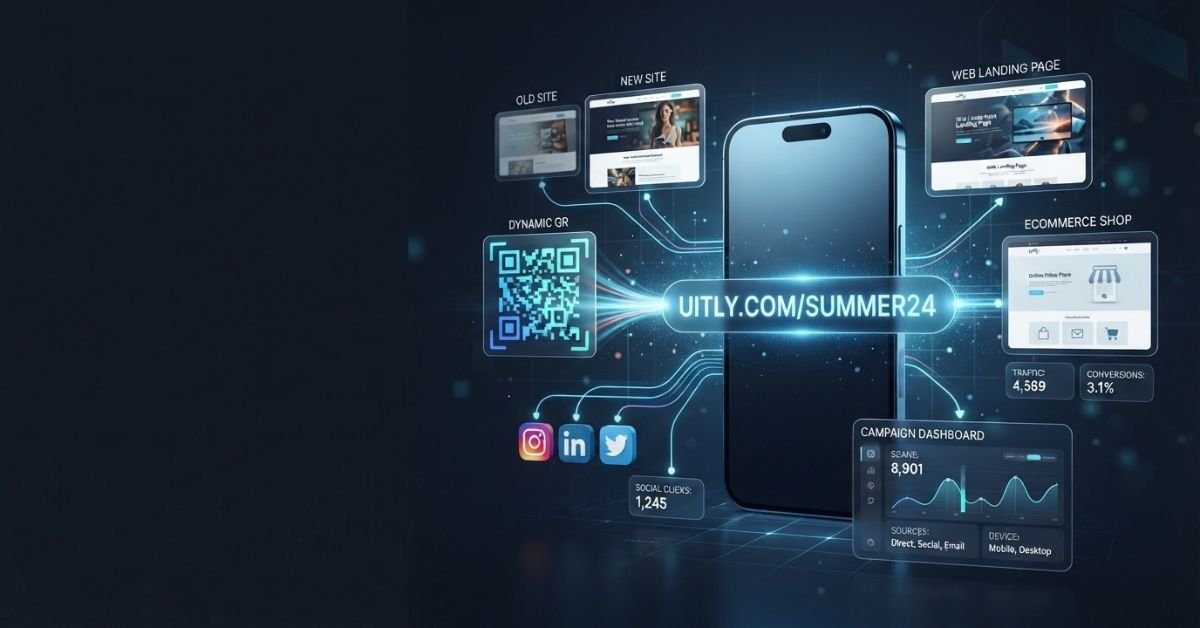
Uitly offers several practical tools to help you manage how people find your content online. Below is a look at its main features.
URL Shortening and Branded Links
Long web addresses are hard to read, hard to remember, and look messy in text messages or social media posts. Uitly lets you turn a long web address into a short, clean link.
- Short URLs and Redirects: The platform makes a short link that automatically sends visitors to your main web page when clicked.
- Custom Aliases: You can often change the end of the short link to words that make sense, such as your brand name or product title.
- Branded Domains: Some plans let you connect your own custom domain name so your short links use your business name.
- Campaign Parameters: You can add tracking codes to see exactly where your traffic comes from.
Example Workflow: A long URL like
[https://example.com/products/summer-sale-2026?source=social](https://example.com/products/summer-sale-2026?source=social)becomes a clean, branded link likebrand.ly/summerthat points users right to your mobile store.
Dynamic QR Codes
QR codes let people use their phone cameras to open a web page right away. Uitly provides tools to create and manage these codes for print and digital use.
Unlike old static codes, smart dynamic codes use a short redirect link. This means you can change where the QR code points later without having to print new flyers or menus.
| Feature | Static QR Code | Dynamic QR Code |
| Destination | Fixed forever | Can be changed anytime |
| Scan Tracking | Not tracked | Tracked for clicks and scans |
| Best For | One-time permanent prints | Active campaigns and menus |
| Flexibility | Low (must reprint if link breaks) | High (update the target URL online) |
Bio Pages and Link-in-Bio
Many social media apps only let you share one link in your profile bio. Uitly provides mobile-ready bio pages that fix this problem.
- You can build a simple landing page that holds multiple links.
- Creators use these pages to list their latest videos, online stores, newsletters, and social channels.
- You can highlight your most important button at the top.
- You can track which specific button visitors click most often.
Example Workflow: Your Instagram profile points to your Uitly bio page. From there, visitors can tap to visit your newest blog post, your newsletter sign-up, or your main store page.
Analytics and Campaign Tracking
Knowing how many people interact with your links helps you understand what works. Uitly provides measurement tools for your short links and QR codes.
- Clicks: Count how many times a short link is opened.
- QR Scans: Measure how often your printed codes are scanned.
- Traffic Sources: See which websites or platforms send visitors your way.
- Device Information: Check whether your audience uses mobile phones, tablets, or computers.
Note: Basic click and scan counts are different from actual sales, leads, or conversions. A click means someone visited the page, but it does not mean they bought something.
How Does Uitly Work?
Using Uitly follows a simple, step-by-step campaign process. Whether you want a short link, a QR code, or a bio page, the steps are easy:
- Create: Log into your account and choose whether to make a short link, QR code, or bio page.
- Choose the Destination: Paste the long web address where you want visitors to end up.
- Apply Branding: Add a custom ending or connect your own domain if your plan supports it.
- Add Tracking: Include campaign tags to organize your traffic sources.
- Test: Click your new link or scan your code to make sure the redirect works properly.
- Publish: Share your link online, post it on social media, or send your QR code to the printer.
- Monitor: Check your stats dashboard later to see how many people interacted with your content.
- Adjust: Update your destination link if something changes, as long as your chosen feature allows it.

Are Uitly QR Codes Dynamic?
Yes, Uitly supports dynamic QR codes. This is one of the most helpful features for businesses that use printed materials.
A dynamic QR code contains a short redirect link instead of your final web address. When someone scans the code, they go through the redirect to your landing page.
If your web page changes later, you can log into Uitly and update the destination URL. Anyone who scans your old printed poster or menu will still land on the correct, updated page. You never have to waste money reprinting your materials.
- Why it matters: It saves time and printing costs for restaurants, event planners, and product makers.
- What to check: Always check your specific account plan to confirm how many dynamic codes you can make and manage at one time.
Example: A local restaurant prints QR codes for table tents linking to their seasonal menu. When autumn arrives, they update the link destination online from the summer menu to the autumn menu without throwing away their printed table tents.
Is Uitly Free?
Pricing and free options can change over time. It is always smart to check the official pricing page before you sign up.
- Free Package: Platforms like Uitly often offer a basic free level for light users who only need a few short links or standard QR codes.
- Paid Upgrades: Paid levels usually unlock advanced features like custom domains, team tools, higher link limits, and deeper stats.
- Feature Limits: Free plans generally limit how many active links or dynamic QR codes you can keep on your account.
Free vs. Paid Access Overview
| Plan Type | Typical Access Level | Key Requirements to Check |
| Free Tier | Basic short links, limited QR codes, standard stats | Check current link limits and expiration rules |
| Paid Tier | Custom domains, advanced tracking, team seats | Check monthly billing, renewal terms, and feature lists |
What Analytics and Tracking Does Uitly Support?
Marketers need reliable data to measure their results. Uitly provides several ways to track traffic and visitor behavior.
- Link-Click Analytics: See total clicks and time patterns for every short link you create.
- QR-Scan Analytics: Track scan numbers, device types, and locations where available.
- UTM Parameters: Add standard campaign tags to your URLs so you can view them neatly inside your web tools.
- Tracking Pixels and Tags: Some marketing plans let you add tracking tags, though you should always confirm current platform support directly on the official site.
Privacy Reminder: Collecting visitor data comes with legal duties. Having tracking tools available does not automatically mean you can collect visitor info without proper privacy notices and user consent in your region.
How to Use Uitly for a Marketing Campaign
Running a successful marketing campaign takes careful planning. When you use short links and QR codes in your ads, you need a clear setup process.
Set Up the Destination and Campaign Structure
- Choose the Landing Page: Pick a mobile-friendly web page that matches your ad message.
- Define Campaign Naming: Use clear names for your campaigns inside your dashboard so you can find them later.
- Create Separate Links: Make a unique short link or QR code for every specific ad spot.
- Use Consistent UTM Conventions: Add standard tracking tags to your destination URLs to check performance.
Add Branding and Tracking
- Custom Alias and Domain: Apply your own brand name to your short links if your plan supports it.
- Campaign Parameters: Attach tags to measure clicks from specific social media channels or email lists.
- Tracking Integrations: Connect your analytics tools where available.
- Consent and Privacy: Make sure your landing pages respect user privacy laws.
Test Before Launch
Before you share your campaign with the world, run a quick quality check:
- Link opens correctly in a browser.
- Redirect works without errors.
- Mobile page loads fast on phones.
- QR code scans successfully from real printed paper.
- UTM parameters pass the correct data.
- Tracking pixels fire as expected.
- A backup URL is ready if needed.
Measure After Launch
Traffic data flows in steps. Learn the difference between these stages:
- Scan or Click: A user taps your short link or scans your QR code.
- Visit: The user’s browser successfully opens your landing page.
- Event: The user takes a specific action, like clicking a button or watching a video.
- Lead: The user fills out a contact form or signs up for a newsletter.
- Conversion: The user completes a purchase or a main goal.
Example: A local restaurant uses separate QR codes for table tents, takeaway bags, and store signs. This lets them see which spot brings in the most customer engagement.
Uitly Use Cases
Different users rely on link management for different goals. The table below shows how various groups use these tools.
| User | Relevant Use |
| Creators | Bio pages and social links |
| Local Businesses | QR menus, offers, reviews, campaigns |
| Ecommerce Brands | Branded links and campaign tracking |
| Event Organizers | Printed QR campaigns |
| Marketers | Attribution and analytics |
| Agencies | Campaign and client organization |
| Offline Campaigns | Dynamic QR destinations |
Note: Feature availability depends on your account plan. Do not assume every user type has access to team or business tools without checking.
How to Create Better Uitly Short Links and QR Campaigns
Good habits help your links and QR codes perform better. Follow these practical tips for your next project:
- Use meaningful custom words instead of random letters.
- Keep your campaign naming system organized and consistent.
- Use branded domains to build trust with your audience.
- Give every offline ad spot its own unique tracking point.
- Keep your mobile landing pages clean and fast.
- Use clear QR code designs with good contrast and empty borders.
- Test your QR codes under different lighting and print conditions.
- Remember that high scan volume is not the same as actual sales.
- Keep a readable backup URL ready just in case a link fails.
Uitly Safety, Trust, and Privacy Considerations
Using shortened links and QR codes requires care. You should never assume a link is safe just because it is short.
Are Shortened Links Automatically Safe?
- Concealed Destinations: A short URL hides the final web address until the user clicks it.
- HTTPS Limits: Having a secure website certificate does not mean the destination content is trustworthy.
- Destination Reputation: Always check where your links lead before you share them with others.
- Branded Domains: Custom domains help with recognition, but they still require careful security practices.
Tracking, Privacy, and Consent
- Analytics tools collect visitor data, device types, and click locations.
- Tracking pixels share visitor behavior with ad networks.
- Local privacy laws often require clear consent banners before tracking users.
- Destination page owners must handle user data responsibly.
- Check data rules to see how long logs stay active on your account.
Domain and Account Governance
- Understand who owns and controls your custom domain names.
- Set clear team access rules if multiple people manage your campaigns.
- Keep backup records of your important short links and QR codes.
Uitly vs. Other Link, QR, and Bio-Link Tools
Many platforms help you manage links and QR codes. The comparison table below gives you an overview of how Uitly compares with other popular options.
| Tool | Short Links | QR Codes | Bio Pages | Analytics | Branding and Custom Domains | Primary Use |
| Uitly | Verify | Verify | Verify | Verify | Verify | Link and QR management |
| Bitly | Verify | Verify | Verify | Verify | Verify | Link management |
| Rebrandly | Verify | Verify | Verify | Verify | Verify | Branded links |
| Short.io | Verify | Verify | Verify | Verify | Verify | Short links |
| Linktree | — | Verify | Verify | Verify | Verify | Link-in-bio |
| QR TIGER | Verify | Verify | Verify | Verify | Verify | QR campaigns |
Always check official vendor help pages for the most up-to-date feature lists before choosing a platform.
Uitly Alternatives: Which Type of Tool Fits Which Need?
Choosing the right platform depends on your main goal. Consider these categories based on your project needs:
- Primarily Short and Branded Links: Best for cleaning up messy URLs and building brand trust in text messages and ads.
- Primarily QR-Code Management: Best for offline print materials, product boxes, and restaurant menus.
- Primarily Link-in-Bio: Best for social media creators who need to show multiple web pages on a single mobile page.
- Primarily Campaign Attribution: Best for marketers who need deep traffic tracking, UTM organization, and pixel tools.
- Primarily Team and Enterprise Governance: Best for large groups that need multi-user controls, role permissions, and custom domain safety.

Common Uitly Problems and Mistakes
Fixing common errors can save your marketing campaigns. Review this guide when something goes wrong:
| Problem | Likely Cause | What to Check |
| QR code does not scan | Low contrast or small size | Print size, lighting, and empty borders |
| Wrong redirect destination | Outdated link target | Your dashboard settings and destination URL |
| Broken destination page | Website down or moved | Test the long URL directly in a browser |
| Missing analytics | Ad blockers or tracking issues | Your tracking scripts and tag setup |
| Incorrect UTM parameters | Spelling mistakes in tags | Your campaign parameter spelling |
| Custom domain setup problems | DNS settings unverified | Your domain host records and name servers |
| Tracking pixel not firing | Incorrect code installation | Browser tools and event triggers |
| Low scan or click volume | Poor placement or lack of call to action | Visibility, ad text, and user instructions |
| Reusing one QR code | Shared code across separate ads | Create unique codes for every placement |
| Treating clicks as conversions | Confusing visits with sales | Your conversion tracking goals |
| Poor mobile landing pages | Desktop-focused layout | Mobile layout and load speed |
| Publishing without testing | Skipped final checks | Test links and scans before public release |
How to Verify Uitly Features Before Relying on Them
Feature lists, pricing models, and account limits can change. Use these three labels when evaluating any digital tool:
- Officially confirmed: Features clearly stated in current vendor documentation.
- Requires account-level verification: Settings you must check inside a live user dashboard.
- Best-practice recommendation: Steps you should take regardless of platform updates.
Last verified: September 2026
Always review the official help center or product documentation to confirm current limits, team seats, and analytics tools before you commit to a paid plan.
Who Should Consider Uitly?
Link-management tools serve many different professionals. Consider whether Uitly fits your daily work:
- Need branded short links: Great for cleaning up social media posts and ad text.
- Need dynamic QR campaigns: Ideal for businesses using printed flyers, posters, or packaging.
- Need a bio page: Helpful for creators sharing multiple links on social profiles.
- Need link analytics: Useful for tracking clicks and traffic sources.
- Need campaign tracking: Good for organizing UTM parameters.
- Need tracking integrations: Helpful for connecting marketing tags where supported.
- Need centralized link management: Perfect for keeping all your web assets in one dashboard.
If your needs require advanced business automation, massive team permissions, or specialized offline analytics, you might also want to look at dedicated enterprise software solutions.
Uitly.com FAQ
What is Uitly.com?
Uitly.com is a digital link tool that helps users shorten URLs, make dynamic QR codes, build bio pages, and track campaign performance.
What does Uitly do?
It provides tools to turn long web links into short URLs, manage dynamic QR codes, group social media links, and measure click traffic.
Is Uitly a URL shortener?
Yes, URL shortening is one of the core features of the platform.
Does Uitly create dynamic QR codes?
Yes, the platform supports dynamic QR codes that let you change the destination URL after the code has been printed.
Can an Uitly QR-code destination be changed after printing?
Yes, because dynamic QR codes use a redirect link, you can update the destination online without replacing your printed materials.
Does Uitly have a free plan?
Platforms like Uitly typically offer basic free levels with limited features, though you should check the official pricing page for current availability.
What analytics does Uitly provide?
It provides data on link clicks, QR scans, traffic sources, and device types.
Can Uitly create a link-in-bio page?
Yes, the platform offers mobile-ready bio pages for creators and social media users.
Does Uitly support custom domains?
Yes, custom domain support is available on selected account levels.
Does Uitly support tracking pixels and marketing tags?
Some plans allow tracking tag integrations, which you should verify directly through official platform documentation.
Is Uitly suitable for marketing campaigns?
Yes, marketers use its short links, QR codes, and UTM tracking parameters to run and measure campaigns.
How should I verify current Uitly pricing and features?
Always check the official website pricing and help center pages directly before creating an account.
Are shortened Uitly links automatically safe?
No, shortened links can hide their final destination. You should always verify the reputation of the destination URL before clicking.
How does Uitly compare with other link-management tools?
Uitly offers a similar mix of short links, QR codes, and bio pages as competitors like Bitly, Rebrandly, and Short.io, but specific pricing and features vary.
You Could Also Like:
Yenkly com: What Is It? Website, Content & Verification Guide
webitbgroup com: What It Is, Safety, Ownership & SEO Checks
Disclaimer:
This Uitly.com article is for informational and educational purposes only. Features, pricing, limits, and availability may change, so check official sources before relying on details. Some images may be AI-generated for illustrative purposes. All copyrights and trademarks belong to their respective owners. We do not claim ownership of third-party materials.

Victor Rennard is a multi-niche writer for BaddieHubMagazine.com, creating clear and engaging articles across lifestyle, trends, tech, entertainment, and general guides. With a simple, helpful writing style, Victor aims to give readers quick insights and reliable information on topics that matter.


